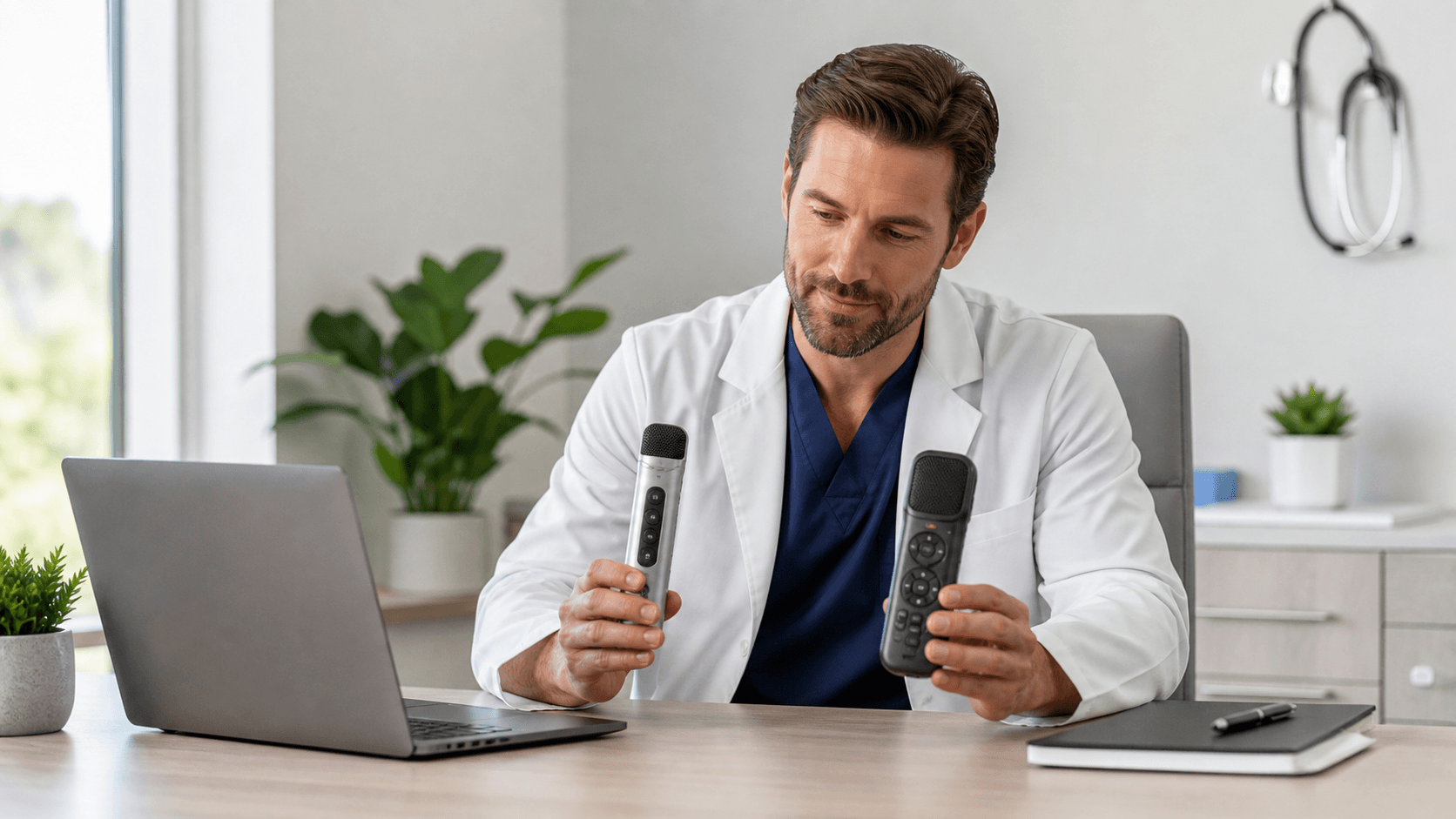
The microphone you choose can shape how Dragon Medical One feels during a busy documentation day. A comfortable device with controls that make sense to you can reduce keyboard use, keep common actions close at hand, and make dictation feel less disruptive.
With Philips SpeechMike and PowerMic options, there is no single right answer for every clinician. We recommend comparing physical design, button layout, comfort, mobility, technical fit, and long-term ownership needs before your organization standardizes on one device.
Choose the Right Microphone for Faster Clinical Documentation
Both Philips SpeechMike and PowerMic devices can give you tactile control over Dragon Medical One functions. Instead of reaching for a mouse or remembering keyboard shortcuts, you may be able to use device buttons for dictation, commands, cursor movement, and other repeat actions.
The better choice often comes down to your daily setting. A clinician moving between rooms may want something different than a clinician documenting at the same workstation all day. Specialty workflows matter, too. We encourage teams to look beyond a feature list and focus on what feels natural while completing real clinical notes.
How Philips SpeechMike for Dragon Fits Clinical Workflows
A Philips SpeechMike for Dragon is a handheld dictation microphone built around a familiar, in-hand feel. Depending on the model, its physical buttons and trackball or touch controls can help you manage Dragon Medical One commands while working through a note. Programmable functions can also support the shortcuts your team uses most often.
This style may appeal to clinicians who prefer holding a microphone while they dictate. It can also be a good match when you use voice commands often, move between fields, or work across more than one clinical application during the day. Having physical controls within reach can make those small transitions feel more direct.
Before choosing a SpeechMike model for a larger group, we recommend confirming details for your Dragon Medical One environment. Review connection requirements, available button configurations, cleaning guidance, device compatibility, and support expectations. A device should fit the workflow and the organization's practical standards, not just look good on a product list.
Where PowerMic Excels in Hands-on Documentation
PowerMic devices are designed for clinicians who want dedicated buttons for common documentation actions. Those controls may be used for dictation, cursor movement, formatting commands, and other Dragon Medical One functions that come up repeatedly in a note.
For fixed workstation settings and high-volume documentation, a control-focused device can be a comfortable fit. We often suggest that clinicians think about the moments that slow them down: moving through fields, correcting text, inserting familiar content, or switching between tasks. If those actions happen all day, button placement matters.
PowerMic options and configurations can vary, so it helps to compare the full experience rather than one feature at a time. During evaluation, consider:
- The number and placement of available buttons
- The microphone's form factor and feel in hand
- Wired or wireless requirements where applicable
- How the device performs during a normal patient schedule
A microphone that feels fine for five minutes may feel very different after a full day of documentation.
Compare Control Layout, Mobility, and Comfort
Physical interaction is one of the clearest differences to test. Philips SpeechMike may suit users who like a handheld dictation microphone with built-in movement controls. PowerMic may be more appealing when you want a device centered on tactile workstation controls.
Workspace realities deserve equal attention. Some clinicians work at a fixed desk, while others share stations, document from carts, or move among exam rooms. Cable length, storage habits, device transport, and cleaning routines can all affect whether a microphone is easy to use consistently.
A short pilot with representative users is usually more useful than a conference-room comparison. We recommend testing each device during everyday tasks, including:
- Dictating a typical clinical note
- Using frequent voice commands
- Correcting text and moving between fields
- Transitioning between clinical applications
- Storing and cleaning the device between uses
That kind of trial reveals whether a Philips SpeechMike for Dragon or a PowerMic fits the actual pace of care.
Plan a Smooth Q4 Microphone Rollout
October is a practical time to review microphone hardware. As Q4 planning begins, many healthcare organizations are looking at year-end budgets, equipment refreshes, and upcoming onboarding needs. It can be a useful window to decide whether a more consistent hardware approach would help support Dragon Medical One adoption.
A thoughtful rollout does not need to begin with every clinician at once. We recommend starting with a small pilot group, collecting feedback, and documenting the choices that work best for each user group. A clear plan can include:
- Identifying clinicians and specialties for the pilot
- Confirming technical and connection requirements
- Recording preferred button mappings
- Setting cleaning, storage, and shared-device practices
- Providing brief training on the selected device
Hardware works best when it supports the larger speech recognition workflow. For teams working with us on Dragon Medical One, that planning can also include specialty vocabularies, AutoTexts, voice commands, and roaming user profiles. The microphone is one part of a setup that should help clinicians document in a steady, repeatable way.
Match Your Dragon Medical One Setup to Daily Work
The best microphone is the one that supports consistent use without making clinicians think too hard about the device itself. Real user testing should carry more weight than specifications alone. Comfort, button habits, mobility, and the way each clinician completes a note all deserve a place in the decision.
When the device matches the workday, Dragon Medical One can feel more natural from the first dictation through the last note. A small pilot, clear button preferences, and a workflow-focused setup give your team a stronger basis for choosing between Philips SpeechMike and PowerMic.
Get the Right Dragon Medical One Setup
Try DMO helps clinical teams choose medical speech recognition tools that support efficient, accurate documentation. Get started with Philips SpeechMike for Dragon alongside Dragon Medical One licensing and guidance from our team. We can help you move forward with a configuration that fits your documentation needs.