
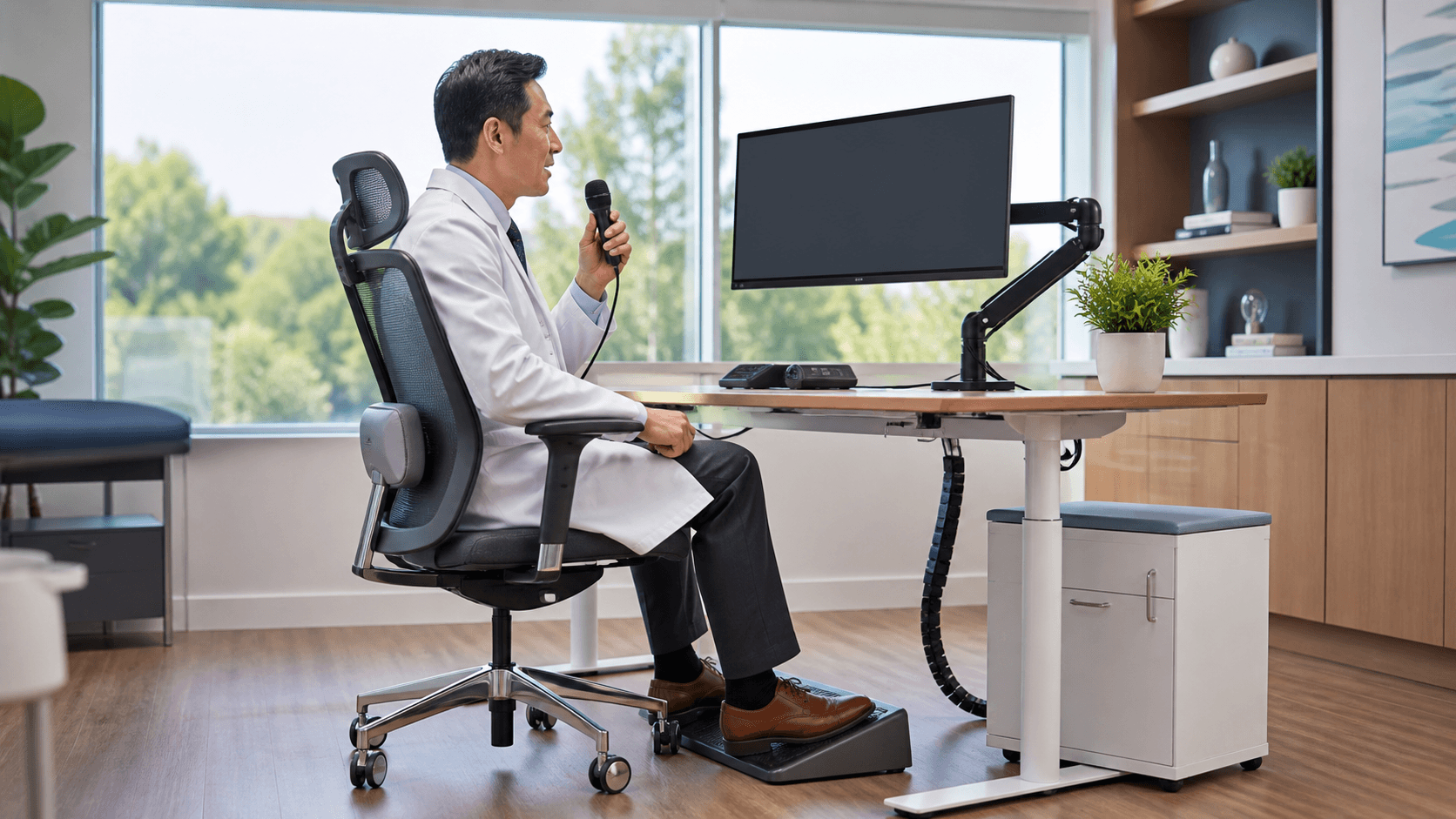
A comfortable medical dictation device setup can make documentation feel less like a physical chore at the end of a long visit. When the microphone, screen, and keyboard are placed well, clinicians can speak naturally without repeated reaching, neck turning, or awkward wrist positions.
We see ergonomics as more than a comfort issue. It supports a steadier documentation routine, whether you are charting between appointments, working at a shared station, using a mobile cart, or moving between care locations. The right setup brings together device choice, workstation placement, Dragon Medical One preferences, and real-world testing.
Build a More Comfortable Dictation Routine
Dictation works best when the equipment fits the way you actually work. A device that feels fine for a few minutes may become distracting after a full day of notes, messages, and chart review. Small problems, such as having to hold a microphone too high or reach around a monitor, can interrupt the natural rhythm of speaking.
There is no one setup that fits every clinician. Some people document mostly at a desk, while others move through exam rooms, work from home, use shared workstations, or chart from mobile carts. We recommend looking at the complete routine instead of choosing a device based on appearance alone.
A useful review includes:
- Where documentation happens most often
- How often the clinician moves between locations
- Whether workstations are shared
- What background noise is present
- Which tools are used most during charting
As fall approaches, this is also a good time to think ahead. Changing patient volumes, staffing patterns, and onboarding needs can put more pressure on documentation workflows. A comfortable, repeatable setup gives clinicians one less thing to adjust during a busy day.
Match the Medical Dictation Device to the Workspace
Start with the clinician's workflow before selecting a medical dictation device. Someone who works mainly at a fixed workstation may prefer a headset or desktop microphone. A clinician moving from room to room may need a handheld or wireless option that is easy to carry and access.
No device style is automatically best. The practical details matter just as much as the format. We encourage teams to consider microphone placement, weight, cables, battery needs, cleaning expectations, and how well the device holds a steady speaking position. Shared devices also need a clear process for storage, cleaning, and quick setup between users.
Before standardizing a device, it helps to review:
- Compatibility with existing computers and operating systems
- Fit with the organization's Dragon Medical One environment
- Comfort during longer documentation sessions
- Performance in the noise level of the actual workspace
- Ease of use for clinicians with different work habits
A small pilot can reveal a lot. Include clinicians from different specialties, care settings, and documentation styles. Their feedback may show that one option works well at a quiet desk but feels awkward in an exam room or shared charting area.
Position Equipment for Posture and Audio Quality
Where a medical dictation device sits can affect both comfort and speech recognition. The microphone should stay at a stable distance and angle from the speaker, based on the manufacturer's guidance. It should not require you to lean forward, twist your neck, or keep one arm raised while you dictate.
The rest of the workstation matters, too. We generally recommend placing the monitor near eye level, keeping the keyboard and mouse within easy reach, and using a chair that supports the lower back. Frequently used tools should stay in the primary work zone, which is the space you can reach comfortably without stretching or turning.
Mobile carts and sit-stand desks deserve extra attention. A height that works for one clinician may not work for another. Adjusting the monitor, keyboard, and microphone for each user can make the setup feel more natural and keep the speaking position consistent.
Real clinical spaces are rarely quiet. Conversations, alarms, ventilation, open work areas, and other routine sounds can affect dictation. That is why we recommend testing microphone placement where clinicians actually work, not only in a quiet office demonstration.
Configure Dragon Medical One for Efficient Voice Workflows
Ergonomics is not only about hardware. Dragon Medical One supports specialty vocabularies, voice commands, AutoTexts, and roaming user profiles. These features can help clinicians keep familiar documentation preferences across supported workstations and locations.
Voice commands and AutoTexts may reduce repeated keyboard and mouse movements for common tasks. Instead of building a workflow around constant clicking, teams can identify the phrases, note sections, and terminology that clinicians use again and again. Each item should be reviewed for accuracy, consistency, and alignment with documentation standards.
Training matters just as much as configuration. Clinicians need to know how to wear or hold their device correctly, pause when needed, review recognized text, and choose the Dragon Medical One features that fit their role. We help healthcare organizations evaluate and adopt Dragon Medical One with practical attention to the daily habits that shape successful medical speech recognition use.
Test Setups Across Care Settings and Seasonal Workloads
A setup that performs well in one location may feel very different somewhere else. An administrative office, exam room, nursing station, telehealth workspace, home office, and shared charting area each create different demands for noise control, comfort, mobility, and cleaning.
Rather than relying on a brief demonstration, we suggest allowing normal use over several days or weeks. Minor discomfort and workflow interruptions often appear only after clinicians have used the device through real documentation tasks.
During an evaluation, gather feedback about:
- Comfort over a full shift
- Audio consistency in the usual work environment
- Ease of cleaning and shared use
- Fit with existing documentation habits
- Satisfaction with the overall setup
September can be a practical time for this review. Fall planning may bring seasonal care demands, new staff onboarding, year-end budget discussions, or changes in clinic schedules. Testing now gives organizations time to identify workstation improvements and standardize preferred setup options before workloads increase.
Make Ergonomic Improvements Part of Your Fall Plan
Ergonomic dictation is an ongoing documentation strategy, not a one-time equipment purchase. A well-positioned microphone, a reachable keyboard, a properly adjusted monitor, and personalized Dragon Medical One preferences all work together to make voice documentation more manageable.
Start with the setups clinicians use every day, then collect their feedback and focus on the changes that remove the most friction. Improving microphone placement, reducing repeated reaching, and making room-specific adjustments can support a more comfortable and consistent dictation routine throughout the season.
Build A More Comfortable Dictation Routine
Try DMO can help you select a medical dictation device setup that supports your clinicians' daily workflows. We provide medical speech recognition support for Dragon Medical One, with practical guidance for dependable use in real clinical environments. Take the next step toward a setup that helps reduce strain and keeps documentation moving smoothly.


