
Faster Stress-Test Notes Without Sacrificing Clinical Detail
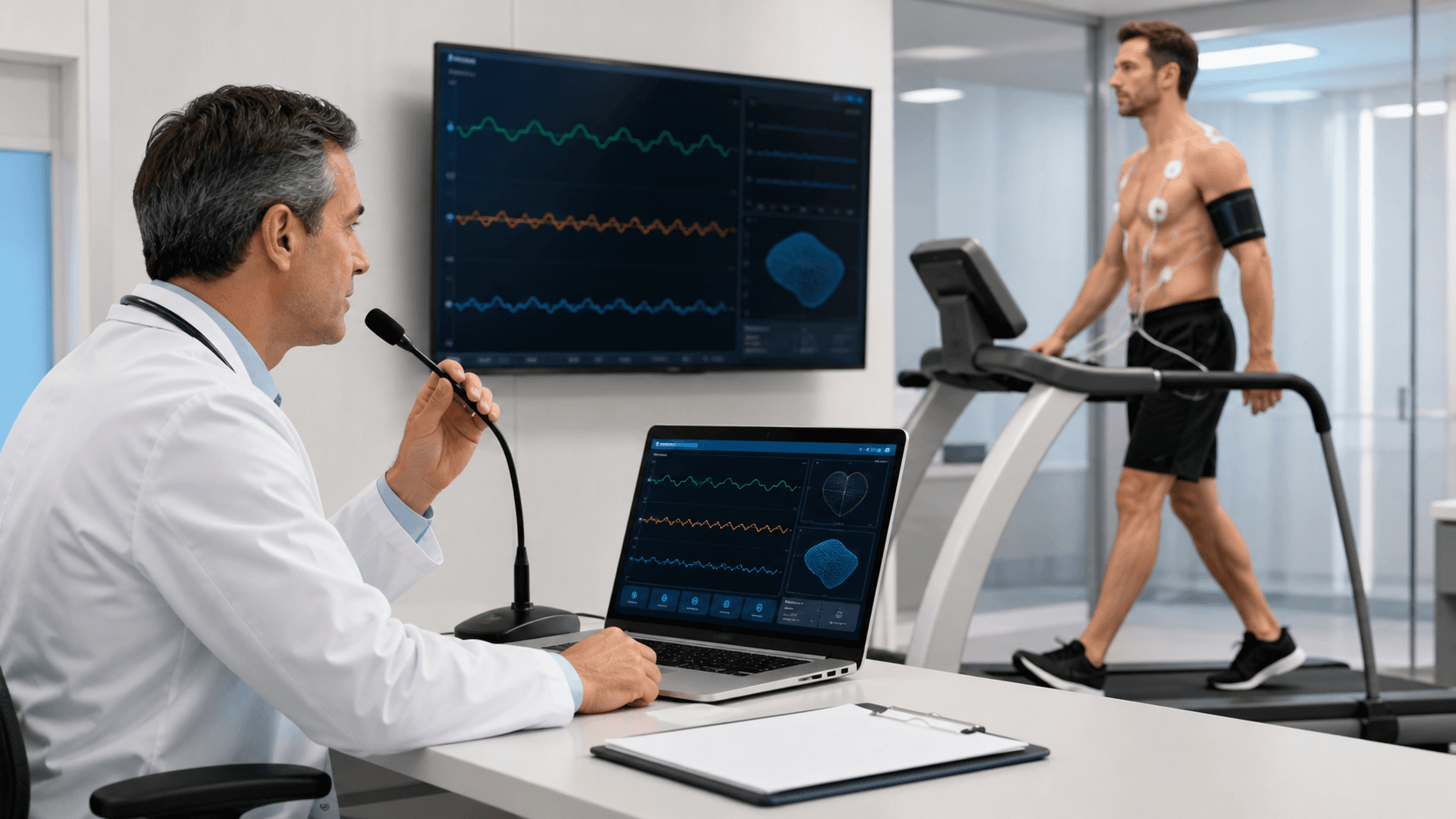
Stress-test notes need to keep up with a fast clinical setting. During exercise testing, your attention belongs on patient monitoring, communication, and the changing information in front of you, not only on the keyboard. Still, the final note needs a clear record of what happened.
We see cardiology teams compare typing with cardiology speech recognition for that reason. Neither method fits every clinician or every part of the workflow. The useful question is where speech recognition can reduce documentation friction while keeping clinician review, accuracy checks, and your organization's documentation standards firmly in place.
An exercise stress test creates a tight documentation window. Within a short period, you may need to capture protocol details, exercise stages, heart rate, blood pressure, symptoms, rhythm observations, ECG changes, recovery findings, and clinical impressions. As September brings fall preventive-care visits and World Heart Day awareness later in the month, smoother note workflows can help teams prepare for fuller testing schedules.
Why Stress-Test Documentation Can Slow Down Typing
Typing is often a comfortable part of clinical documentation, especially for selecting fields and reviewing results. Yet stress-test notes ask for more than a set of numbers. They also need the story behind the numbers: when symptoms began, how a patient handled a particular stage, what changed during recovery, and what the clinician observed in the moment.
Moving back and forth between the patient, monitor, staff communication, and keyboard can interrupt that flow. A clinician may catch a key detail verbally or visually, then need to pause before entering it. Those small interruptions can make it harder to document a full timeline while the test is still underway.
Waiting until after the patient leaves brings another challenge. When narrative details are postponed, you may need to rebuild the event from shorthand notes, structured data, and memory. That can lead to delayed completion or language that is less specific than the observation itself.
Typing still has an important place in a practical stress-test workflow. We recommend keeping it where it works best, such as:
- Selecting protocol options and discrete fields
- Reviewing tables and measurements
- Correcting individual values
- Editing the final report before signature
The problem is not typing. It is whether a keyboard-heavy process creates extra delays at the exact point when cardiovascular testing moves quickly.
How Cardiology Speech Recognition Changes the Workflow
Medical speech recognition can give clinicians another way to capture the narrative parts of a stress-test note. Rather than manually typing every observation, you can dictate appropriate details into the relevant documentation field in real time or shortly after the test. That may include exercise tolerance, symptoms, ECG observations, recovery response, and preliminary interpretive language.
With Dragon Medical One, medical terminology is supported for clinical dictation. Personalized vocabulary and workflow configuration can also help match commonly used cardiology terms, medication names, protocol language, and stress-test findings. We encourage teams to test performance using the actual phrases their clinicians use, since every practice has its own preferred wording and note structure.
Voice commands and AutoTexts can further reduce repetitive entry in supported Windows applications and EHR workflows. For example, approved text blocks may help make routine phrasing easier to insert, while voice commands can support movement through a documentation process. These tools should fit the way your team already works, not force a clinician into a rigid script.
Even when speech recognition speeds up narrative entry, clinical judgment remains with the clinician. Dictated content still needs verification, and every finalized note should be reviewed for accuracy, completeness, and alignment with organizational policies.
Compare Documentation Methods at Each Stress-Test Stage
Before testing begins, typing may be the easiest choice for confirming referral details, choosing protocol options, and entering baseline values. Dictation can be helpful when you want to add concise context that does not fit neatly into a checkbox, such as the test indication, patient-reported symptoms, relevant history, or pretest observations.
During exercise and recovery, safety and patient communication come first. We do not recommend treating dictation as a running commentary that competes with monitoring. Instead, a workable approach may include brief spoken observations at appropriate moments, followed by a fuller dictated summary once the patient is stable and key measurements are available.
Here is how the two methods can complement each other:
- Before the test: type structured details, dictate brief clinical context
- During exercise: prioritize monitoring, communication, and timely observations
- During recovery: capture relevant changes when appropriate, then complete the narrative
- Final reporting: dictate descriptive findings, then type edits and verify values
For final reports, dictation can help with narrative sections on exercise capacity, symptoms, electrocardiographic observations, recovery findings, and interpretive language. Typing remains useful for checking tables, changing a single number, and polishing the finished report. The strongest workflow is often a blend that gives each method a clear role.
Build Reliable Speech Recognition Habits
A focused starting point usually makes adoption easier. Rather than changing every step of the stress-test process at once, we suggest choosing one repeatable section, such as the narrative exercise summary or recovery note. Once clinicians are comfortable with dictation, commands, vocabulary, and review steps, the team can decide whether other portions of the workflow make sense for speech recognition.
Reusable language can also make documentation feel more consistent without making notes sound generic. Your team can identify frequent phrases for indications, common symptoms, exercise response, recovery descriptions, and routine findings. Approved AutoTexts and voice commands can make those phrases easier to access, while still leaving room for the clinician to document the facts of each individual test.
Implementation works best when it includes real-world testing and clear goals. We help healthcare organizations and clinicians access and implement Dragon Medical One medical speech recognition across Windows applications and EHR documentation workflows. Training, workflow alignment, and a consistent review process can help teams evaluate whether the change supports faster note completion, fewer after-hours documentation tasks, and better clinician experience.
Prepare Your Fall Documentation Workflow for Better Note Completion
Fall is a useful time to review where stress-test documentation slows down. Look at note turnaround times, identify repetitive narrative sections, and ask clinicians which tasks pull attention away from patient care. Those answers can show where typing is serving the workflow well and where a dictated narrative may be worth testing.
A limited pilot can keep the process practical. Start with one stress-test use case, configure the language your team uses, train clinicians on review habits, and measure the effect over time. The goal is not to remove typing from cardiology documentation, but to create a steadier, more complete process for the moments that matter most.
Support More Consistent Stress-Test Notes
Try DMO helps cardiology teams build documentation workflows around the language and review practices that fit their clinical work. Learn how cardiology speech recognition support for Dragon Medical One can help strengthen note consistency without changing how clinicians think through each case. Our team can help you identify a practical starting point for your documentation needs.


